
Expense report audit: how to check expenses against your policy
An expense report audit step by step: turn your expense policy into rules, check every receipt, catch duplicates and return each flag with its reason.
Free app. Runs on your Mac with the Claude or Codex plan you already have.
What an expense report audit is
An expense report audit checks each claimed expense against the company's expense policy and its receipt, before the money is reimbursed or the card spending is accepted. It answers two questions for every claim: is it allowed, and is it proven. The result is a short list of claims to question, each with the rule it breaks. It can be done before reimbursement, which is easier, or after, as a check on card spending that has already happened.
Most problems are honest mistakes: a missing receipt, a meal over the limit, the same taxi claimed twice. Catching them early keeps costs in line, makes policy compliance visible and leaves records an accountant can rely on. The method below is how a finance team audits expenses by hand. Each step says what to do and why, then how 10folds carries it out. Company cards make the audit more important, because the money has already left the account by the time anyone looks at the receipt. The aim is consistent decisions, applied the same way to everyone.
What it does for the business
- Pay only for what the policy allowsChecking every claim catches spending over the limits before it is reimbursed, while it is still easy to correct. It also discourages careless claims, because people know every receipt is read.
- Fair treatment for every employeeThe same rules applied to every claim mean nobody is questioned more than anyone else, and the reasons are written down. Clear reasons also make conversations with managers shorter.
- Records that hold upEach expense with its receipt and its check is what your accountant needs at year end, and it supports the business purpose of each cost. Tax rules generally require proof of the business purpose of an expense, and the receipt with its check provides it.
- See where the policy is unclearWhen the same rule is broken again and again, the rule is often the problem. The audit shows which limits to explain better or change. Updating a limit that no longer matches real prices removes a source of friction.
Expense report audit, step by step
Turn the policy into checkable rules
A rule you cannot check against a receipt is only a wish.
What to do
- Read the expense policy and list each rule with its number: meal limit per person, hotel limit per night, class of travel.
- Note the receipt requirements, such as a receipt for anything over a set amount.
- Note what is not allowed, and what needs an explanation, such as weekend meals or alcohol on its own.
- Mark where the policy is vague, and ask its owner to decide before you start checking.
- Note which expenses need an itemized receipt and which can rely on a card statement.
Why
Policies are written for people and leave room for interpretation. Writing each rule as a test with clear spending limits makes every check repeatable and every flag easy to explain. Ask how the policy treats tips, taxes and currency conversion on foreign receipts, since these cause many borderline cases.
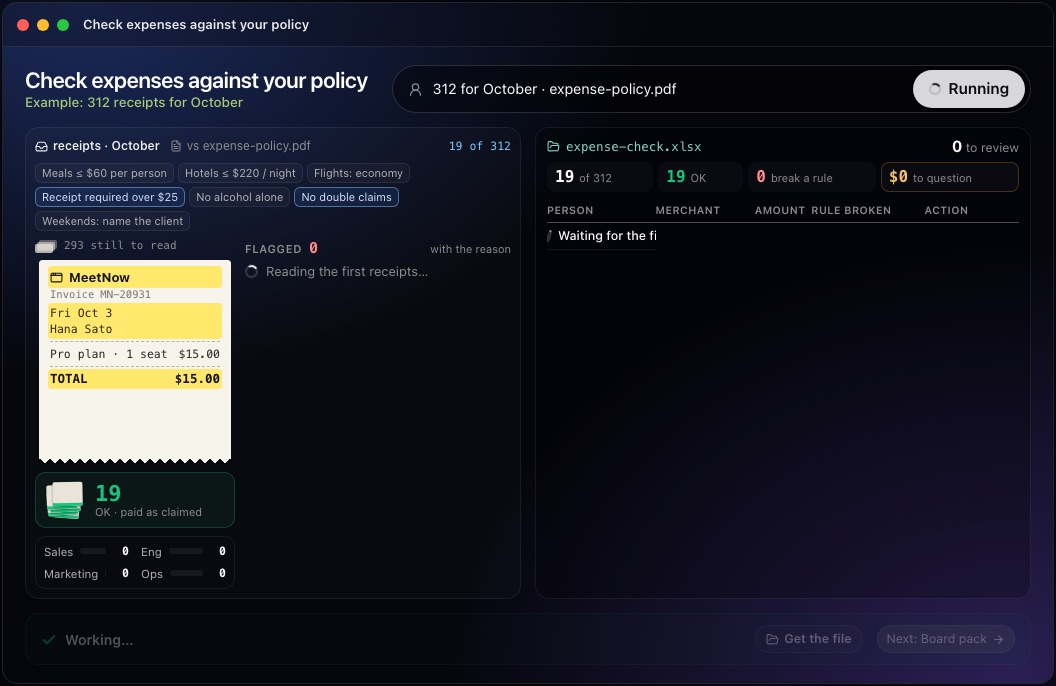
This step in the 10folds window. Example data from the animation on the home page. Collect the claims and receipts
An expense without a receipt is only someone's word.
What to do
- Gather every claim and card transaction for the period, with the person, merchant, date and amount.
- Attach each receipt to its claim and read the date, merchant, items and total from it.
- List claims with no receipt, and receipts with no claim.
- Note who gave approval for each report, and check they had authority over the claimant.
- Note the business purpose stated on each claim, and the client or project where the policy requires it.
Why
Most errors appear where the claim and the receipt disagree: a different amount, a different date, or a receipt that covers more than was claimed. A self-approved report skips the one check that matters most. Receipts in other currencies need the amount converted at a stated rate, or the comparison with a limit will be wrong. Approval matters because it is the control that catches spending outside a person's role.
Check each claim against the rules
Check the receipt itself, never just the summary line.
What to do
- Compare each receipt with the limits: per person for meals, per night for hotels, class for flights.
- Look for items the policy excludes, and for missing explanations where one is required.
- Search for duplicate expenses: the same merchant, date and amount, claimed twice by one person or once each by two.
- Mark each claim as fine, out of policy, or needing more information.
- Check card spending that has no claim at all, such as personal purchases on a company card.
Why
Out-of-policy expenses often show only on the receipt, such as the number of guests at a dinner or the fare class on a ticket. Duplicates usually sit in different reports, so checking one report at a time misses them. When a claim is close to a limit, check the policy wording: per person, per day and per night limits give different answers.
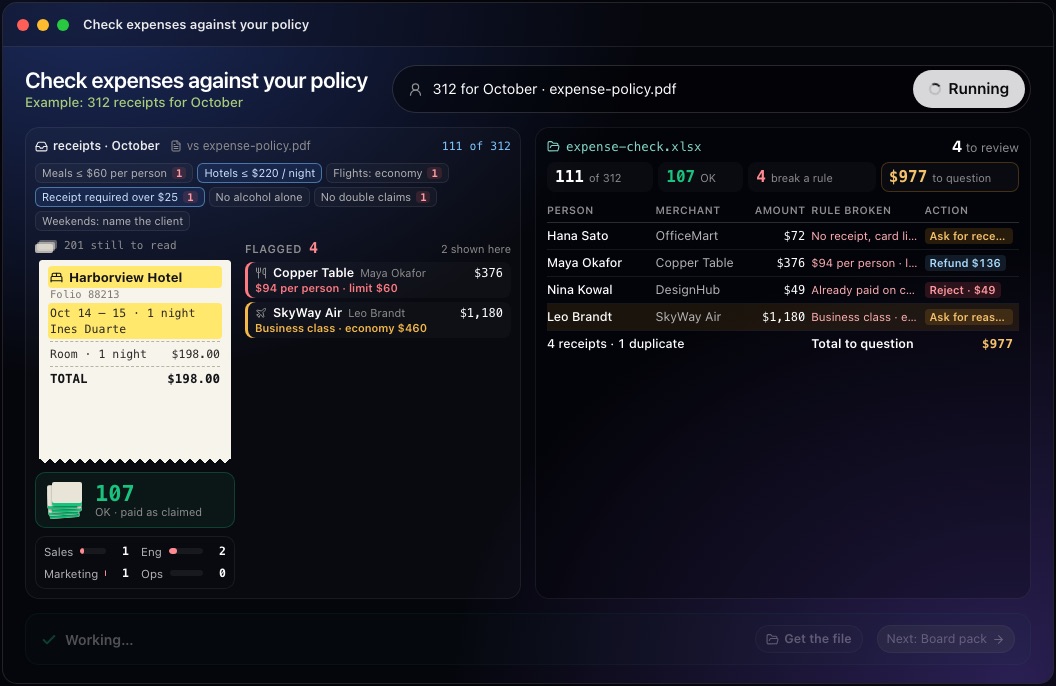
This step in the 10folds window. Example data from the animation on the home page. Decide the action and tell the person
A flag without a reason starts an argument.
What to do
- For each flag, choose the action: ask for the receipt, ask for the reason, refund the amount over the limit, or reject a duplicate.
- Write the reason in one sentence, quoting the rule.
- Send queries to the employee before reimbursement where you can.
- Track repeat issues by person and by rule.
Why
People correct mistakes quickly when they know exactly what is wrong. Querying before reimbursement avoids asking for money back later, and a rule broken by many people is a sign to rewrite it. Keep a record of each decision, so the same case is treated the same way next month. Where the answer is a refund of the excess, state the exact amount and how it was calculated.
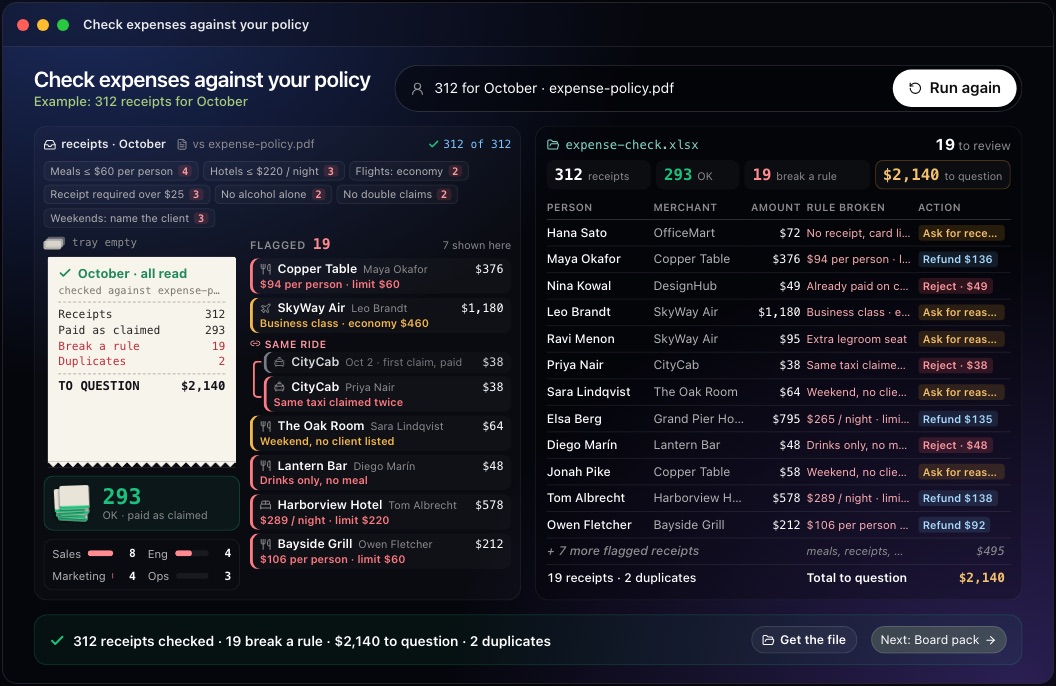
This step in the 10folds window. Example data from the animation on the home page. Look for patterns and fix the policy
A rule broken by many people is usually a rule that needs rewriting.
What to do
- Count flags by rule, by team and by person.
- For rules broken often, ask whether the limit is out of date or unclear.
- Talk privately with anyone who breaks the same rule repeatedly.
- Update the policy and tell everyone what changed.
Why
One flag is a mistake; the same flag every month is a pattern. Fixing the rule or explaining it better prevents the next round of flags, and a quiet word with a repeat offender usually works better than a formal warning. A policy that matches real prices is also easier to enforce.
Common mistakes
- Vague rulesA limit described as reasonable cannot be checked; a number can.
- Reading only the summaryThe total on a claim hides what the receipt shows, such as the number of guests or the items bought.
- Checking one report at a timeDuplicates often sit in different reports, different months or different people's claims.
- Flags without reasonsThe employee cannot fix what nobody explains, and the same mistake comes back next month.
- Self-approved reportsEvery report needs an approver with authority over the person claiming.
What a good result looks like
- Every claim for the period checked, with the count of fine and flagged.
- Each flag with the person, merchant, amount and the rule broken.
- One action per flag: ask for the receipt, ask for the reason, refund or reject.
- Duplicates listed in pairs, showing both claims.
- The total amount in question, and the total paid as claimed.
And then what? Using the result
- Send each query to the employee, with the reason and the rule it breaks.
- Hold reimbursement on claims with missing receipts until they arrive.
- Recover or reject duplicates before the next payroll.
- Rewrite any rule that is broken often, and tell everyone what changed.
- Run the check every month, before reimbursement.
When to run it
- Every month, before reimbursementChecking before money goes out is simpler than asking for it back. Employees also get answers while they still remember the trip.
- After a busy travel periodConferences and sales trips produce many claims at once, when duplicates and limit breaks are most likely. Check hotel and flight claims against the travel rules while the bookings are fresh.
- Before year endA checked set of expenses, each with its receipt, makes the accountant's work faster. Gaps found in December are easier to fix than gaps found during the year-end close.
- When the expense policy changesA check after a new limit or rule takes effect shows whether people have understood it, and which rules need more explanation.
Questions people ask
What is an expense report audit?
It is a check of each claimed expense against the expense policy and its receipt, to confirm it is allowed and proven before it is reimbursed or accepted. It protects the company from overspending and gives employees a clear, consistent answer on every claim.
How do you audit expense reports?
Write the policy as rules with numbers, attach each receipt to its claim, check every claim against the rules, search for duplicates, and send each flag back with the rule it breaks. Keep a record of each decision for the next audit.
Should you audit every expense report or a sample?
Every report, when the checking can be done quickly. Sampling a share of reports is a fallback when checking is slow, and it misses duplicates and rare breaches. Assisted checking makes a full review practical even with hundreds of receipts. If you do sample, choose reports at random and include every report above a set amount.
What are the most common expense policy violations?
Missing receipts, meals and hotels over the limit, travel above the allowed class, items the policy excludes, and the same expense claimed twice. Duplicates are often accidental: a receipt submitted on paper and again through the card.
What should an expense policy include?
Clear limits with numbers for meals, hotels and travel class, the receipt requirements, what is not allowed, who approves each claim, and the deadline for submitting. Rules written as numbers can be checked; vague words like reasonable cannot.
Does it approve or reject claims?
No. It flags claims and gives the reason. A person in finance decides, and nothing is posted to your books. Each flag carries the rule it breaks, so the decision is quick.
More jobs in Finance
Check expenses against your policy, on your own Mac.Free app. Runs on your Mac with the Claude or Codex plan you already have. Your files stay on your computer.
Download for Mac