
How to turn a blog post into a video people will watch
How to turn a blog post into a video: write a spoken script with a hook and chapters, record the voiceover, build each scene, add captions and a thumbnail.
Free app. Runs on your Mac with the Claude or Codex plan you already have.
What it means to turn a blog post into a video
To turn a blog post into a video is to rewrite a written article as something people watch and listen to: a spoken video script, a voiceover, visuals timed to each sentence, captions, and the text that goes with the upload. It is one of the most useful forms of content repurposing, because the article already holds the research. The work is in making that research easy to follow by ear, one idea at a time.
Most quick conversions paste a summary over stock clips and template slides. Viewers leave within seconds, because nothing on screen matches what is being said. The method below is how a video producer does it by hand. Each step says what to do and why, then how 10folds carries it out.
What it does for the business
- Reach people who do not read articlesMany buyers prefer to watch or listen. A video puts the same expertise in front of them on YouTube and social platforms, where the written article never appears.
- Get more from research you already paid forThe expensive part of content is knowing what to say. A video reuses that knowledge, so one piece of research serves two audiences.
- Appear in more places in searchVideo results, YouTube search and suggested videos are separate routes to the same buyer. A video with clear chapters can be found for each idea it covers.
- Publish regularly without a cameraA narrated, animated video needs no filming, no studio and no presenter. That makes a steady publishing rhythm realistic for a small team.
How to turn a blog post into a video, step by step
Read the article and decide what must survive
A video can drop words, but never facts.
What to do
- Read the whole article, not the introduction alone.
- Write down who it is for, the one problem it solves and its main promise.
- List its four to eight key points in order.
- Note every number, name and fact that must appear exactly as written.
- If the article is thin, plan a short video of 60 to 90 seconds instead.
Why
A video cannot hold everything an article holds. Deciding upfront what must stay keeps the script honest and stops a summary from changing a figure or a claim.
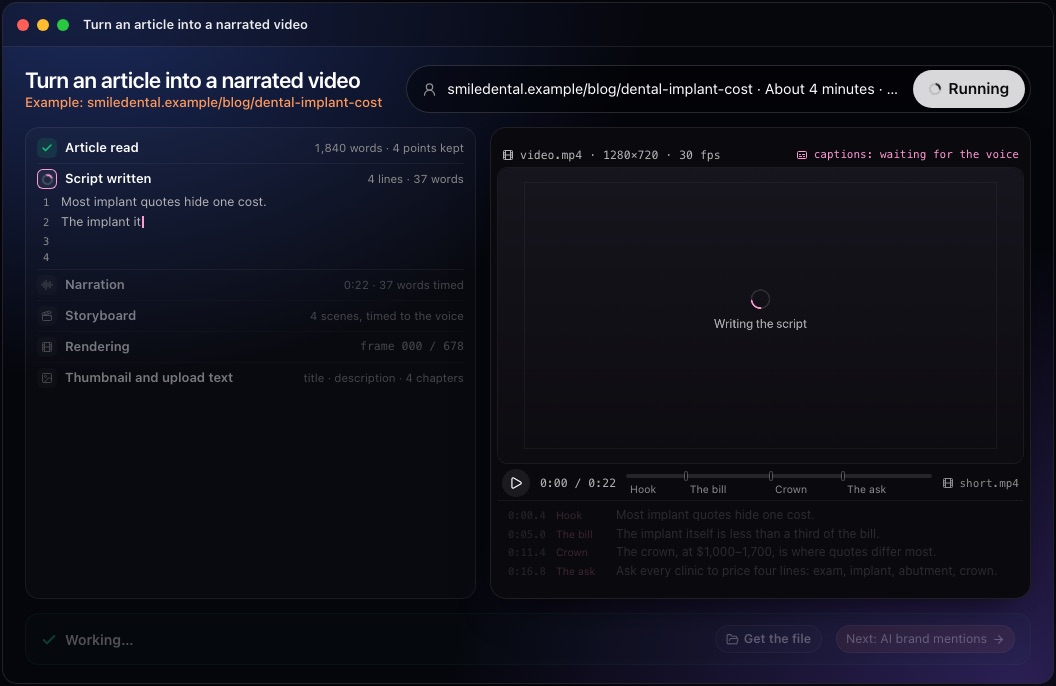
Write the script: hook, chapters, call to action
The first ten seconds decide whether the other four minutes are watched.
What to do
- Open on the viewer's problem or a surprising true fact, then say what they will know by the end.
- Split the body into four to eight chapters, one idea each, with short titles that work as YouTube chapters.
- Write in spoken English: short sentences, numbers written as they are said.
- End with one summary sentence and one action, in fifteen seconds or less.
- Write the upload title, description and tags at the same time.
Why
A logo intro or a greeting loses viewers before the content starts. Read aloud at about 150 words a minute, a 1,500 word article runs ten minutes. A script rewritten for listening keeps the points and drops the padding.
This step in the 10folds window. Example data from the animation on the home page. Record the voiceover
If the voice says a number wrong, the viewer stops trusting the rest.
What to do
- Record one audio file per scene, so a single sentence can be redone.
- Listen for numbers, acronyms and names read wrongly.
- Rewrite a sentence the way it should be said, then record it again.
- Keep the timing of every word: the visuals will follow it.
Why
The voiceover sets the pace of the whole video. Recording it before building the visuals means each animation can be timed to the exact word it illustrates.
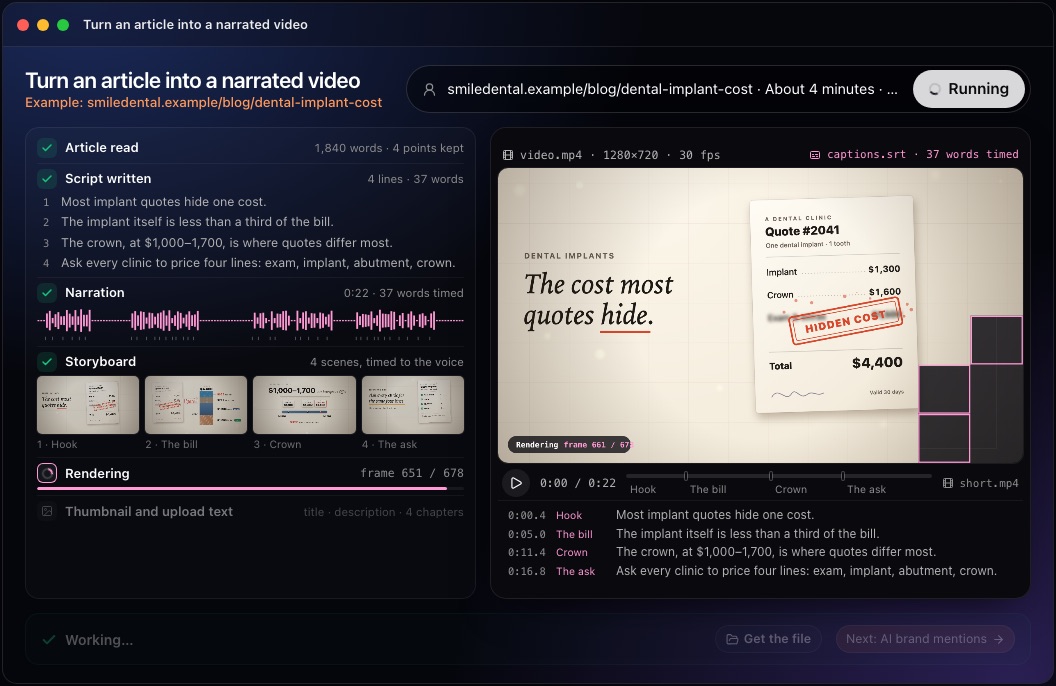
Storyboard and build each scene
Show the idea; do not write the sentence on screen.
What to do
- Make a storyboard: one scene per idea, usually 6 to 20 seconds.
- Use diagrams, counters, timelines and comparisons, with a few large words.
- Make each label or number appear when the voice says it.
- Keep something moving: no frame should sit still for more than about three seconds.
- Use only images you have the right to use, and readable contrast at phone size.
Why
Stock footage that only loosely matches the words is the main reason converted videos feel cheap. A scene built for its own sentence is easier to follow and harder to skip.
This step in the 10folds window. Example data from the animation on the home page. Watch the draft and fix it
Someone who did not make the video sees what is wrong with it.
What to do
- Look at a contact sheet of frames and a low-quality draft.
- Check that the opening states the problem and the promise.
- Check that every frame is readable on a phone and nothing is cut off.
- Compare every number and name with the article.
Why
Problems that are obvious on screen, such as a cut-off word, a static frame or two scenes that look the same, are invisible in a script. Fixing them before the final render saves time.
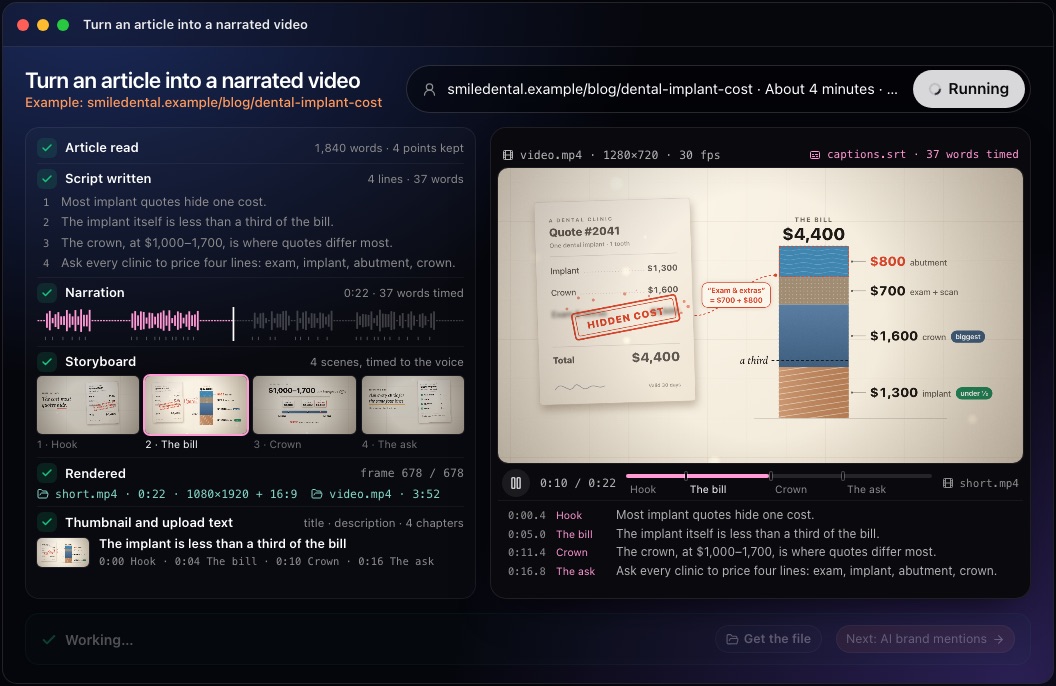
Render, add captions and a thumbnail, prepare the upload
A finished video includes everything needed to publish it.
What to do
- Render the final file and watch the start, a middle chapter and the end.
- Check that voice and picture stay together to the last scene.
- Export captions and upload them as subtitles.
- Paste the YouTube chapters into the description and make a thumbnail with a few large words.
Why
Captions help people who watch without sound and make the words readable to search. Chapters let viewers jump to the part they need, and a clear thumbnail decides whether anyone clicks.
This step in the 10folds window. Example data from the animation on the home page.
Common mistakes
- Reading the article aloudWritten sentences are too long to follow by ear. Rewrite them as speech.
- Starting with a logo or a greetingState the problem and the promise in the first seconds.
- Covering the screen in textViewers cannot read and listen at once. Keep on-screen words few and large.
- Stock clips that do not matchVisuals that only loosely fit the words make the whole video feel generic.
- Changing facts while shorteningEvery figure and claim must match the article.
What a good result looks like
- A hook in the first ten seconds that says what the viewer will get.
- Four to eight chapters, each one idea, with timestamps in the description.
- A clear voiceover that says every number and name correctly.
- Visuals that change with what is being said, readable on a phone.
- Captions, a thumbnail and upload text, ready to publish.
And then what? Using the result
- Watch the whole video once before uploading it.
- Upload the captions file as subtitles, not burned into the picture.
- Embed the video in the original article.
- Cut a short vertical clip from the hook and the strongest chapter.
- Turn the same article into social posts that link to the video.
When to run it
- For your best-performing articlesAn article that already brings visitors has proven its subject. A video gives it a second audience.
- When starting a YouTube channelExisting articles provide a backlog of scripts, so the channel can publish regularly from the first week.
- For guides that are hard to follow in textCosts, steps and comparisons are often clearer when shown as a diagram that builds while someone explains it.
Questions people ask
How do you turn a blog post into a video?
Rewrite the article as a spoken video script with a hook, chapters and a call to action, record the voiceover, build a scene for each idea timed to the voice, then render the video with captions, a thumbnail and the upload text.
Can AI turn an article into a video?
Yes. Many AI video tools lay stock clips under a summary. This job writes a full script and builds an animation for each sentence, then renders the file on your computer. You approve the plan once before it produces anything.
How long should a video made from a blog post be?
Long enough to cover the article's key points and no longer, usually three to eight minutes. At about 150 spoken words a minute, the length follows from the script.
Do I need to show my face to make a video from a blog post?
No. A narrated video with animated scenes needs no camera and no presenter. The job never imitates a real person's voice or face.
Does 10folds upload the video to YouTube?
No. It writes the files to your project folder: the video, captions, thumbnail and the title, description and tags to paste. You upload them yourself.
Which voice does it use?
ElevenLabs or OpenAI if you have a key for either, otherwise the free built-in voice of your computer, which works for drafts. You can switch voice and render again.
More jobs in SEO agencies
Turn an article into a narrated video, on your own Mac.Free app. Runs on your Mac with the Claude or Codex plan you already have. Your files stay on your computer.
Download for Mac