
Monthly SEO report: what to include and how to write it
How to write a monthly SEO report: reconcile Search Console data, explain what moved and why, check the site, and end with ranked actions for next month.
Free app. Runs on your Mac with the Claude or Codex plan you already have.
What a monthly SEO report is
A monthly SEO report tells a client or a manager what happened in organic search over the month, why it happened, and what will be done next. A good one can be read in five minutes: three lines at the top, a table of the numbers that matter, the pages and searches that moved, what is wrong on the site now, and a short ranked list of next actions. Most of its numbers come from Google Search Console, with visits, enquiries or sales from Google Analytics when they are available.
Many reports are the opposite: twenty charts exported from a dashboard, with no explanation and no decision at the end. SEO reporting is useful when every number has a source, every change has an explanation labeled as a fact or a hypothesis, and the report ends with work someone can start on Monday. The method below is how an SEO specialist does it by hand. Each step says what to do and why, then how 10folds carries it out.
What it does for the business
- Clients understand what they pay forPlain explanations of what moved and why turn a page of figures into a story the client can repeat to their own manager. That understanding is what keeps a client through a slow month.
- Next month's work is decidedA ranked list of actions, each tied to a page and a reason, means the work starts the day the report is sent instead of after another meeting.
- Problems are caught while they are smallChecking the site every month finds a broken template, a lost title or a page that dropped before the damage spreads across a quarter.
- Numbers that hold up to questionsFigures that each name their source file, period and filter can be checked by anyone. A report that survives a skeptical reader builds trust over time.
Monthly SEO report, step by step
Collect and reconcile the data
A number without a source is an opinion.
What to do
- Export two comparable periods from Google Search Console: same length, the last three days left out because they are not final.
- Take clicks and impressions, average position and click-through rate from the totals or by-date file.
- Add visits, enquiries or sales from Google Analytics only if you have them.
- Write down each figure with its source file, period and filter.
- Write "No data" where no file gives a figure.
Why
Adding up page or query rows in Search Console gives a smaller total than the real one, because some queries are hidden for privacy and pages overlap. A total that does not match the client's own dashboard ruins the report's credibility on page one. Leaving out the last three days matters for the same reason: Search Console keeps updating them, and a report built on them shows a drop that disappears a week later.
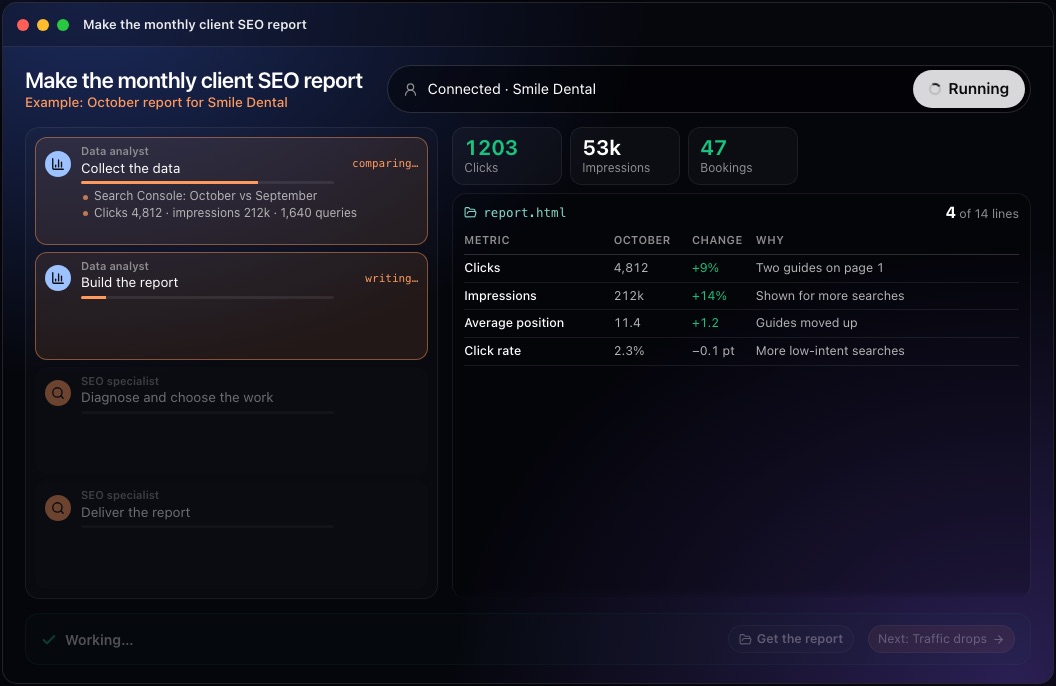
This step in the 10folds window. Example data from the animation on the home page. Find what moved, and explain it
Say what changed on the page before saying why the number changed.
What to do
- List the pages and searches that gained and lost the most clicks, by absolute change first.
- Note searches that are new or gone, and searches shown often at positions 4 to 15.
- Find pages shown often and clicked rarely: their title and description need rewriting.
- Report searches for the brand name apart from the others.
- Open each page that moved and look for what could explain it.
Why
A percentage change from a very small number is meaningless, so absolute change comes first. Brand searches follow marketing and press, not SEO work, and mixing them in hides what the SEO work did. A cause is a hypothesis unless a dated change proves it, and more clicks are not the same as more revenue.
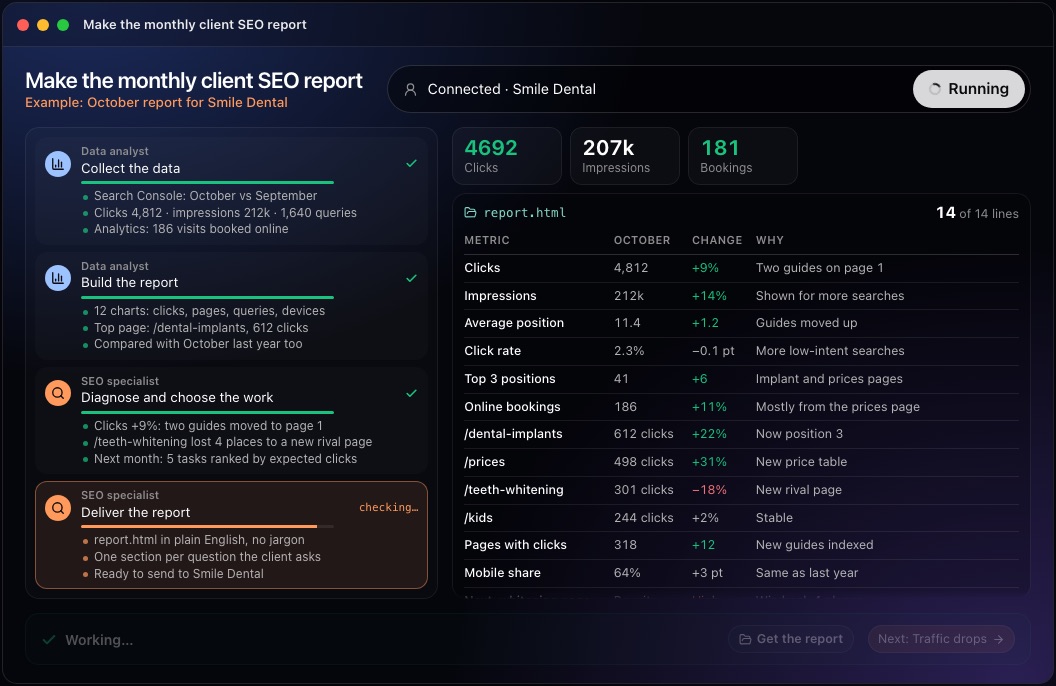
This step in the 10folds window. Example data from the animation on the home page. Check the site for what costs visits now
The report should catch the problem before the client does.
What to do
- Read the pages that sell, the newest and oldest articles, and a spread of the rest.
- Look for missing, duplicated or cut-off titles and descriptions.
- Look for pages blocked from search, wrongly redirected or pointing to another page as the original.
- Look for two pages answering the same search, broken links and articles showing a past year as current.
- Look for slow or phone-unfriendly pages, and selling pages with no link from articles.
Why
Numbers show what happened. A site check shows what is about to happen, and it gives the report content even in a month where the numbers barely moved. The pages menus forget are worth a look: old landing pages and orphaned articles are where broken links and outdated claims collect.
Rank next month's actions
A report that ends without a decision is only a record.
What to do
- Write each action with the page, what is wrong quoted, and the change, from old to new text where it is text.
- Give each the reason, the expected effect in words, the effort, a priority and a confidence.
- Put the most valuable first.
- Write at least five, and never pad the list.
Why
Clients judge SEO by what gets done. Ranked, specific actions turn the report into a plan, and a confidence level tells the reader how much to expect from each one. Writing the change as old text to new text removes any doubt about what should be done and lets the client approve it in one reading.
Write the report, then check every figure
Recompute every number before anyone else reads it.
What to do
- Open with an executive summary of three lines: what went up, what went down, what to do first.
- Then the numbers table, what moved and why, what is wrong now, and the ranked actions.
- End with how far to trust it: files used, pages read, what is a judgment.
- Have someone else recompute each figure from the files and reopen each page named in an action.
Why
Most readers stop after the first lines, so those lines must carry the message. A second check catches a wrong total or a fault that was already fixed before the client finds it. A short section on how far to trust the report tells the reader which parts rest on data and which on judgment.
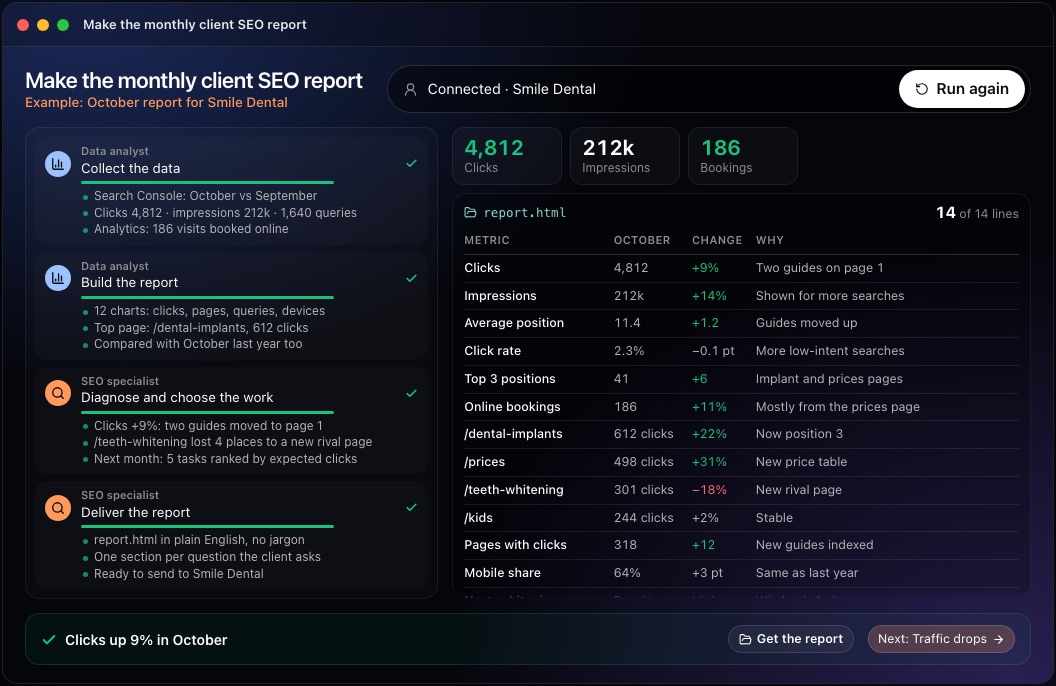
This step in the 10folds window. Example data from the animation on the home page.
Common mistakes
- Adding up rows to get the totalSearch Console hides some queries. Use the totals file.
- Comparing unequal periodsA 31-day month against a 28-day month shows growth that is not there.
- Stating causes as factsLabel each explanation as a hypothesis unless a dated change proves it.
- Mixing brand and non-brand searchesBrand searches follow marketing. Report them apart.
- Ending without actionsEvery report should end with ranked work that names a page.
What a good result looks like
- Three lines at the top that a busy reader can repeat.
- A numbers table where every figure names its source and period.
- The pages and searches that moved, with a labeled explanation for each.
- What is wrong on the site now, quoted from the live page.
- At least five ranked actions, each with a page, a change and a confidence.
And then what? Using the result
- Start on the first three actions this week.
- Send the report with a short note that repeats the three opening lines.
- Agree with the client on the KPIs to track if visits or sales were missing.
- Keep the same periods and filters next month so the reports compare.
When to run it
- Every month, for each clientA steady monthly report with the same structure makes changes easy to see and explain. Clients learn where to look and find answers faster each month.
- Before a quarterly reviewThree monthly reports, each with its actions, show what was done and what it changed.
- When taking over a site from another agencyThe first report sets a baseline from the client's own data and lists what is wrong on day one.
Questions people ask
What should a monthly SEO report include?
An executive summary of three lines, a table of clicks and impressions, click-through rate and average position against the previous period, the pages and searches that moved and why, faults found on the site, and a ranked list of next actions.
How do you write an SEO report for a client?
Write it for someone who reads only the first lines: say what went up, what went down and what to do first, then give the evidence. Use plain words, name a source for every figure and end with actions.
Which SEO metrics matter most?
Clicks from organic search, then impressions, click-through rate and average position from Google Search Console. Enquiries or sales from analytics matter most of all when you have them.
How long should an SEO report be?
Short enough to read in five minutes. The detail can sit in attached files for anyone who wants to check it.
Why do Search Console totals not match the sum of rows?
Search Console hides rare queries for privacy and counts a search once at site level even if several pages appear. Adding up the rows gives a lower total, so use the totals or by-date file.
What if I have no Search Console export?
The job still reads the site and delivers a full report from public evidence, and its first lines give the exact steps to export the data from Search Console and Analytics.
More jobs in SEO agencies
Make the monthly client SEO report, on your own Mac.Free app. Runs on your Mac with the Claude or Codex plan you already have. Your files stay on your computer.
Download for Mac