
Social media content calendar: plan two weeks of posts
How to build a social media content calendar: set a window and channels, draw ideas from your own content, balance the mix and write every post ahead.
Free app. Runs on your Mac with the Claude or Codex plan you already have.
What a social media content calendar is
A social media content calendar is a dated plan of what you will post, on which channel, on which day, and with which link or image. It turns posting from a daily scramble into a short planning session every week or two. A good calendar is short enough to keep up and specific enough that anyone could publish from it: each row has a date, a channel, an angle, finished copy and a destination.
Two weeks is a practical window for a small team: long enough to batch the writing, short enough that posts stay current. The same steps work for one channel or two. Each row should be complete enough that someone else could publish it without asking you a question, and the calendar stays a working document you adjust when news arrives. The method below is how an experienced social media manager plans a fortnight by hand. Each step says what to do and why, then how 10folds carries it out.
What it does for the business
- Post regularly without thinking about it dailyOne planning session covers two weeks. The rest of the time, posting is a quick check instead of a blank page. The plan also makes it clear who posts what and when.
- Reuse what you already wroteArticles, case studies and guides become a stream of posts that send readers back to them, so content you paid for keeps working. Each post links to a page that can turn a reader into a customer.
- A balanced feedSeeing the whole fortnight at once lets you mix tips, stories, questions and offers, instead of five promotions in a row. A balanced feed gives followers a reason to stay.
- Fewer errors in publicFacts and links checked during planning are less likely to go out wrong than posts written in a hurry on the day. Mistakes caught in a draft never need a public correction.
Social media content calendar, step by step
Set the window, goal and channels
A calendar with no end date is a wish list.
What to do
- Choose the dates: a start day and an end day 13 days later, in one timezone.
- Pick one or two channels where your customers already are.
- Set a posting schedule you can keep, such as three weekdays a week per channel.
- Write the goal for the fortnight: traffic to a guide, bookings, or simply staying visible.
- Note any fixed dates in the window, such as a holiday, an event or an offer ending.
Why
A bounded window is easy to finish and easy to review. Fewer channels done well beat many channels done thinly, and a stated goal decides which posts carry a link and which do not. A written goal also makes the fortnight easy to review afterwards, because you know what you were trying to do.
Read your recent content for ideas
The best posts come from things you have already said well.
What to do
- List what you published recently: articles, case studies, guides, news.
- Pull out the separate points each one makes: a tip, a number, a common mistake, a customer question.
- Note the source of each fact so it can be checked later.
- Check that offers and prices mentioned are still current.
- Mark which ideas are evergreen and which are tied to a date.
Why
Posts built from your own material are specific, consistent with your site and quick to verify. They also send readers to pages that can turn them into customers. Checking offers early also avoids a post that promotes a price or deal that has ended.
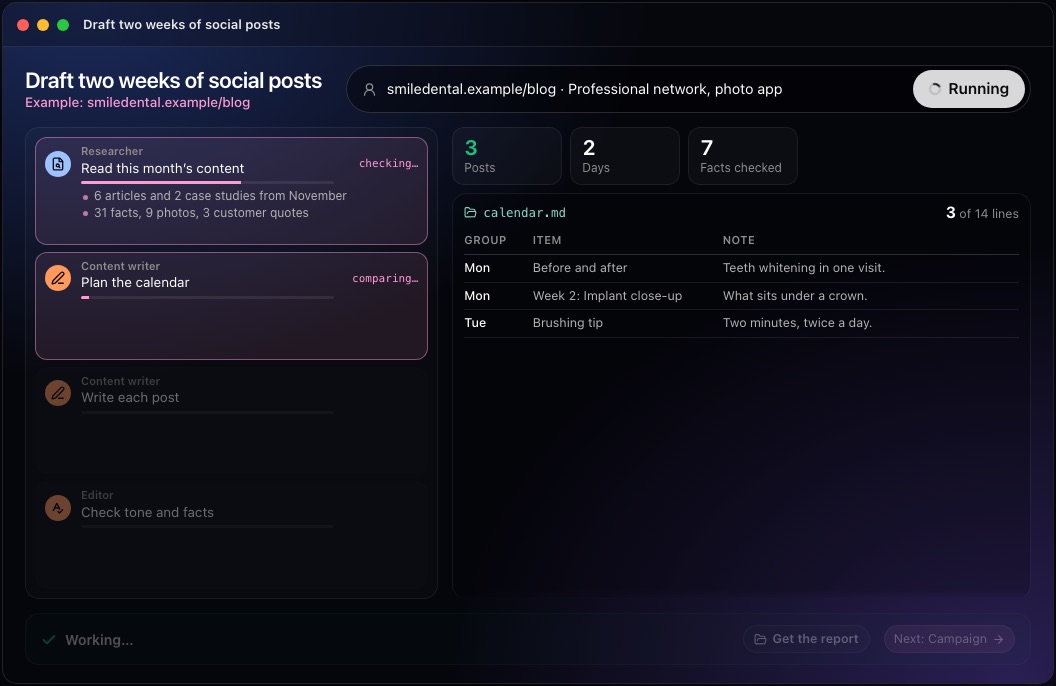
This step in the 10folds window. Example data from the animation on the home page. Plan a balanced content mix
Never put two posts on the same subject back to back.
What to do
- Assign each idea to a content pillar, one of the few recurring subjects you post about.
- Mix formats and purposes: instruction, problem, story, question, offer.
- Mix evergreen content, which stays true for months, with timely posts tied to a date or event.
- Give each row a date, channel, angle, source, call to action and any image it needs.
- Spread the posts evenly across the window, not in clusters.
Why
A feed of only promotions gets ignored, and a feed of only tips never sells. Seeing the fortnight laid out makes the balance visible before anything is written. Content pillars give each post a place, and seeing them side by side shows at once which subject is missing.
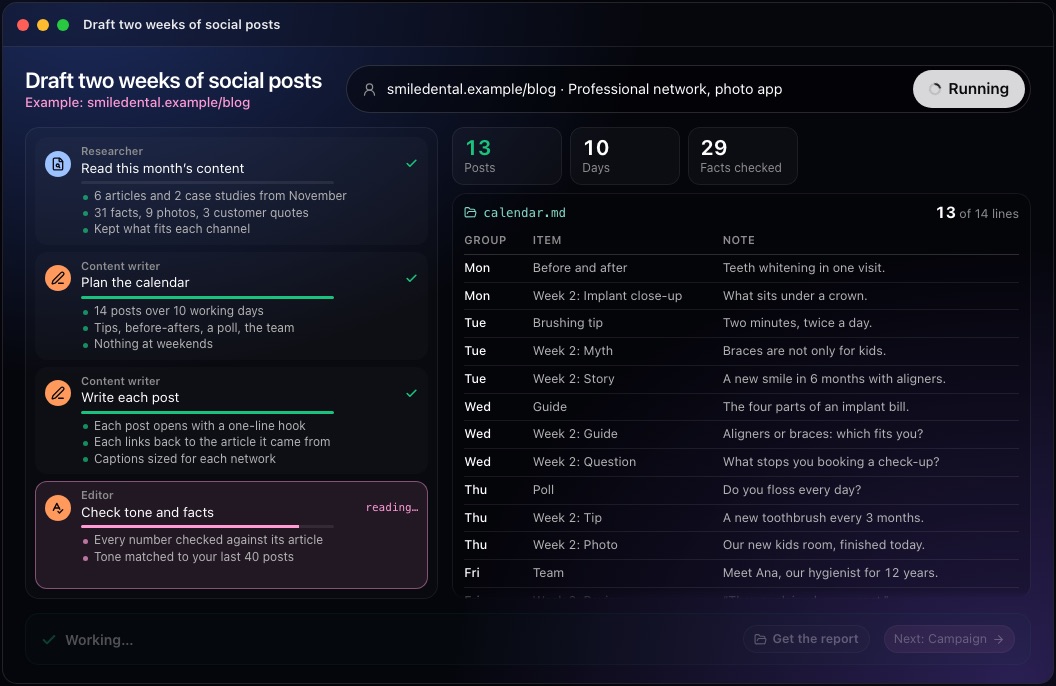
This step in the 10folds window. Example data from the animation on the home page. Write every post for its channel
Same idea, different channel, different words.
What to do
- Write the full copy for each row in one sitting; batching is faster than daily writing.
- Adapt length and tone to the channel.
- For image-led channels, write the caption, a short brief for the image and alt text, a description of the image for people using screen readers.
- Use real links, and leave out any claim, review or urgency you cannot support.
- Keep each post to one idea and one link.
Why
Writing ahead gives you time to fix weak posts. Alt text makes posts usable for more people, and an image brief saves the designer from guessing. It also gives a second reader something concrete to check before anything is public.
Export the calendar and check it
Check the calendar as a whole before you check each post.
What to do
- Put the plan in a simple table: post, date, timezone, channel, angle, copy, link, status.
- Check that every date is inside the window and nothing is duplicated.
- Open each link, and fix or flag those that do not work.
- Have someone else read every post against its source.
- Mark any post waiting on an image or fact as blocked.
Why
Errors in a calendar repeat across days. A single pass over the whole table catches dates out of range, missing copy and broken links before anything goes out. A table is also easy to load into whatever scheduling tool you use.
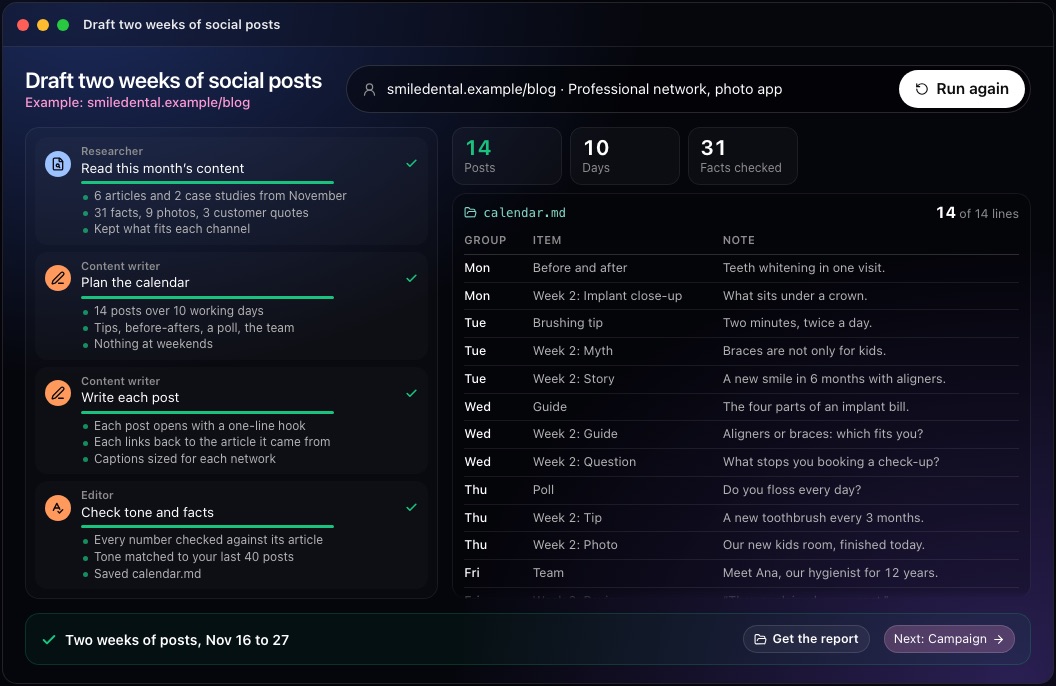
This step in the 10folds window. Example data from the animation on the home page.
Common mistakes
- Planning a month you cannot keepStart with two weeks you can actually finish.
- Pasting one post on every channelEach channel has its own length and reader.
- Only promotingA feed of offers gives people no reason to follow.
- Unsourced claimsA figure you cannot trace back is a risk in public.
- Forgetting images until the dayWrite the image brief and alt text with the post.
What a good result looks like
- A clear 14-day window, timezone and channels.
- A posting schedule you can keep.
- A mix of pillars and formats, with no repeats side by side.
- Finished copy, a real link and a source for every post.
- Image briefs and alt text where the channel needs them.
And then what? Using the result
- Read each draft and change anything that does not sound like you.
- Create or pick the images from the briefs.
- Load the posts into your scheduling tool.
- After the fortnight, note which posts drew replies and plan the next one.
- Move any blocked rows forward once the missing image or fact is ready.
When to run it
- Every two weeks, as a routineA fixed fortnightly session keeps the feed steady without daily effort. Put it in the diary as a fixed task.
- After publishing a batch of articlesA calendar spreads them over two weeks of posts that bring readers back. Each article gets several chances to be seen.
- Before a busy seasonPlanning ahead keeps the feed active when nobody has time to post. Plan the fortnight before the rush starts.
- When a team shares one accountA single dated calendar shows everyone what is planned, so nobody posts the same thing twice.
Questions people ask
How do you create a social media content calendar?
Set a window and channels, gather ideas from your own content, plan a balanced mix with a date, channel and link for each post, write every post ahead, then check dates, links and facts. Keep to one or two channels so every post gets proper attention.
How far ahead should you plan social media posts?
Two to four weeks suits most small businesses. It is long enough to batch the work and short enough to stay current. Plan further ahead only for fixed dates such as holidays or launches.
What should a social media calendar include?
For each post: the date and time, channel, theme or angle, finished copy, link, image or image brief, and its status. A column for the content pillar makes the mix easy to check.
How many times a week should a business post?
As many times as you can sustain with useful posts. Three times a week on one or two channels is a sensible start; adjust once you see which posts draw replies. Posting less often with better posts beats posting daily with filler.
Does 10folds publish or schedule the posts?
No. It prepares drafts and a dated calendar. Every row is marked draft or blocked, and nothing is published or scheduled for you. You load the approved posts into your own tools.
What if I do not say which channels or dates?
It proposes a labeled draft of three weekdays a week on up to two channels, and asks one combined question about any dates or channels it cannot settle. Any choice it makes for you is labeled so you can change it.
More jobs in Marketing
Draft two weeks of social posts, on your own Mac.Free app. Runs on your Mac with the Claude or Codex plan you already have. Your files stay on your computer.
Download for Mac