
Amazon product scraping: how to study prices and competitors in a category
Amazon product scraping done carefully: define the market, prefer official APIs, record price, rating, seller and rank per ASIN and date every snapshot.
Free app. Runs on your Mac with the Claude or Codex plan you already have.
What Amazon product scraping is
Amazon product scraping is the work of collecting product listings for a search or a category into a table: product, brand, price, rating, number of reviews, seller, sales rank and a link for each item. Brands use it for price tracking against competitors. Founders and buyers use it to see how crowded a category is, which price bands it covers and which brands hold the most attention.
The method below is how an e-commerce analyst does it by hand. Each step says what to do and why, then how 10folds carries it out.
What it does for the business
- Price with the market in viewKnowing the price bands in your category, and where the most reviewed products sit, helps you set a price that is competitive without leaving money on the table. It also shows which features buyers get at each price, so you can explain why yours costs what it does.
- See how crowded a category isThe number of brands, how concentrated attention is among a few of them and how many products sit in each price band show whether there is room for a new entrant.
- Watch competitors' movesRepeated snapshots show when a competitor cuts a price, launches a variant or loses the Buy Box, so you can respond while it matters. Over months, they also show which competitors run regular promotions and which hold their price.
- Find gaps in the rangeAn empty price band or a feature no well-rated product offers is a product idea backed by what the market actually stocks. Checking it against the reviews of nearby products tells you whether buyers are asking for it.
Amazon product scraping, step by step
Define the market and the question
A category is whatever buyers type into the search box.
What to do
- List the searches buyers use, for example standing desk, desk converter and electric sit-stand desk.
- Choose the marketplace and currency, such as amazon.com in dollars.
- Decide how many result pages to read per search.
- Write the question: track prices, compare brands or judge whether to enter.
Why
Amazon's own category tree is broad and often puts unrelated products together, while searches show what buyers actually compare. Each country's marketplace has its own prices, sellers and ranks, so mixing them breaks every comparison. The question decides the fields: price tracking needs the same products every time, market sizing needs breadth. Results also shift with the shopper's location and delivery address, so note where the collection ran from, and keep that the same on later runs.
Choose an allowed route
Check the official door before trying the window.
What to do
- If you are an Amazon affiliate, check whether the Product Advertising API covers your need.
- If you sell on Amazon, use the Selling Partner API and your seller reports for your own products.
- If you collect from public pages, read Amazon's terms of service and robots.txt first.
- Keep a slow rate, never log in to collect, and stop at captchas.
Why
Amazon's official APIs return structured product data under clear rules, but each is limited to the people it was built for. Amazon's terms restrict automated collection from its pages and it blocks traffic that looks automated. Any Amazon scraper that pushes past captchas or rotates identities breaks those rules and gets blocked sooner or later. A small, slow collection of the pages you need, repeated on a schedule, answers most pricing and market questions without heavy traffic. For larger needs, licensed data from a provider that has an agreement with the marketplace may be the safer choice.
Record each product with its ASIN
Titles change and sellers rotate. The ASIN stays.
What to do
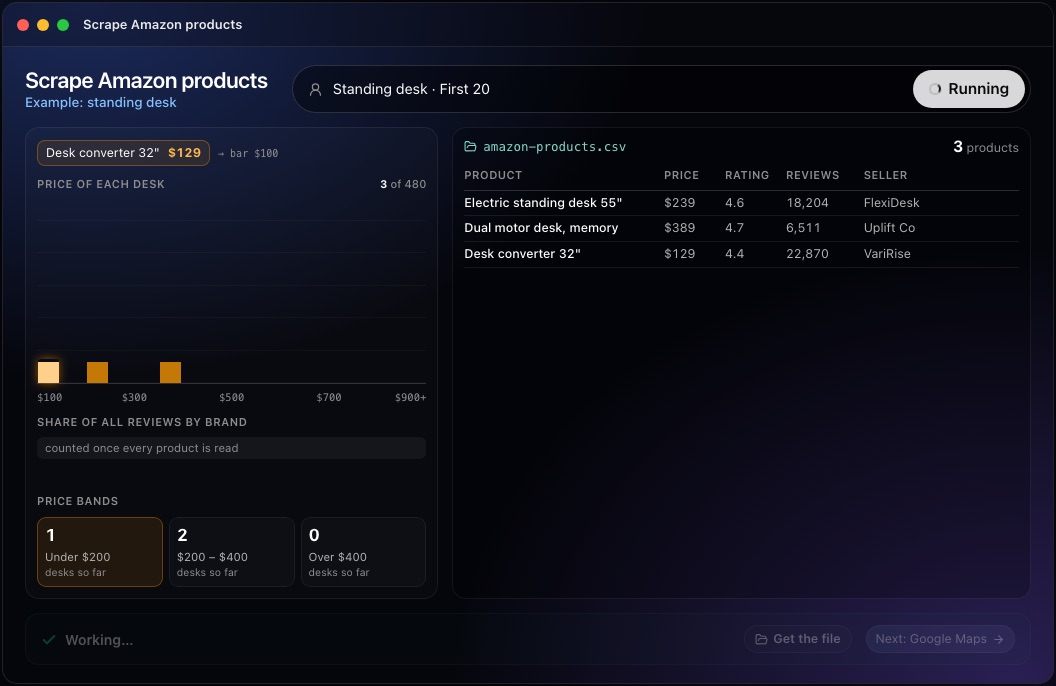
- Record the ASIN, title, brand, price with currency, rating, review count, seller and link.
- Record the Best Sellers Rank with the category it refers to.
- Mark sponsored products and note each product's position in the results.
- Record which seller holds the Buy Box when the page shows it.
- Date every row.
Why
The ASIN, Amazon's product identifier, is the only reliable way to recognize the same product across searches and over time. The Best Sellers Rank is a rank within a named category based on recent sales, so a rank without its category means nothing. Sponsored products are ads that sellers pay to place, and the Buy Box is the offer shown by default on a product page; both change what shoppers see. The position in the results matters too, because a product far down the list is seen by fewer shoppers than one near the top.
This step in the 10folds window. Example data from the animation on the home page. Clean the list before counting
Count products once, and only the products in the market.
What to do
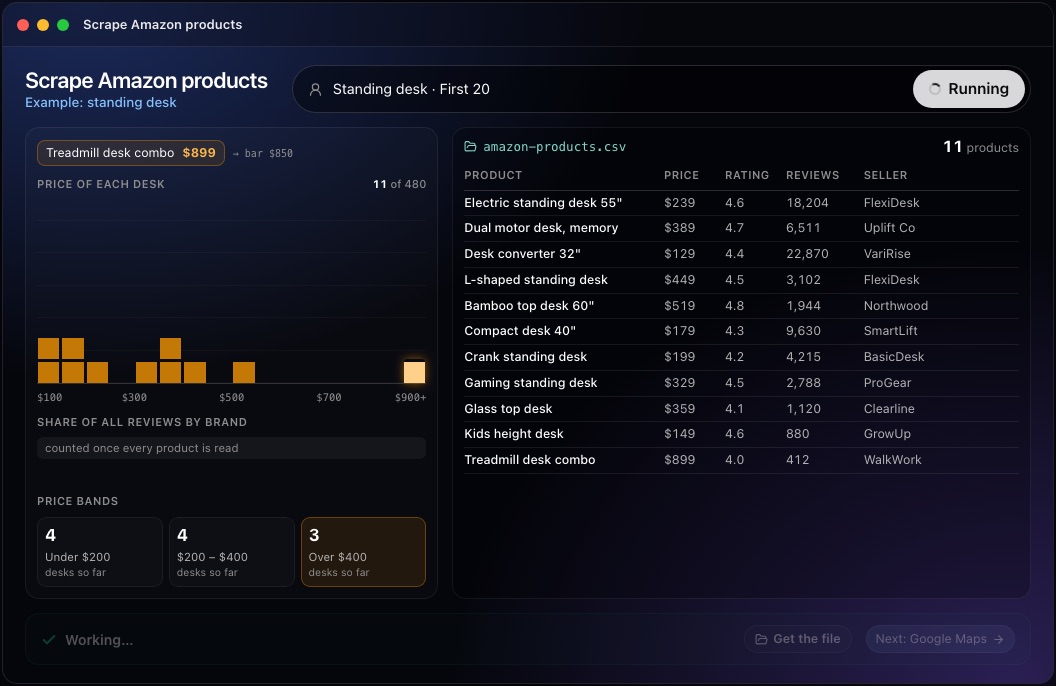
- Remove duplicates by ASIN, since the same product appears under several searches.
- Group variants of one product, such as sizes and colors, before counting brands.
- Drop accessories and off-topic items that only share a word with the search.
- Leave unavailable prices empty instead of writing zero.
- Open a sample of rows and compare them with the live product pages.
Why
Variants share reviews and inflate counts if each is treated as its own product. Searches return accessories, spare parts and loosely related items that do not belong in the market. A missing price usually means the item is out of stock, and a zero would drag every average down. Prices can also differ between the search page and the product page, or between sellers of the same item, so decide which price you record and use the same rule every time.
This step in the 10folds window. Example data from the animation on the home page. Read the market and repeat the snapshot
One snapshot describes a day. Several describe a market.
What to do
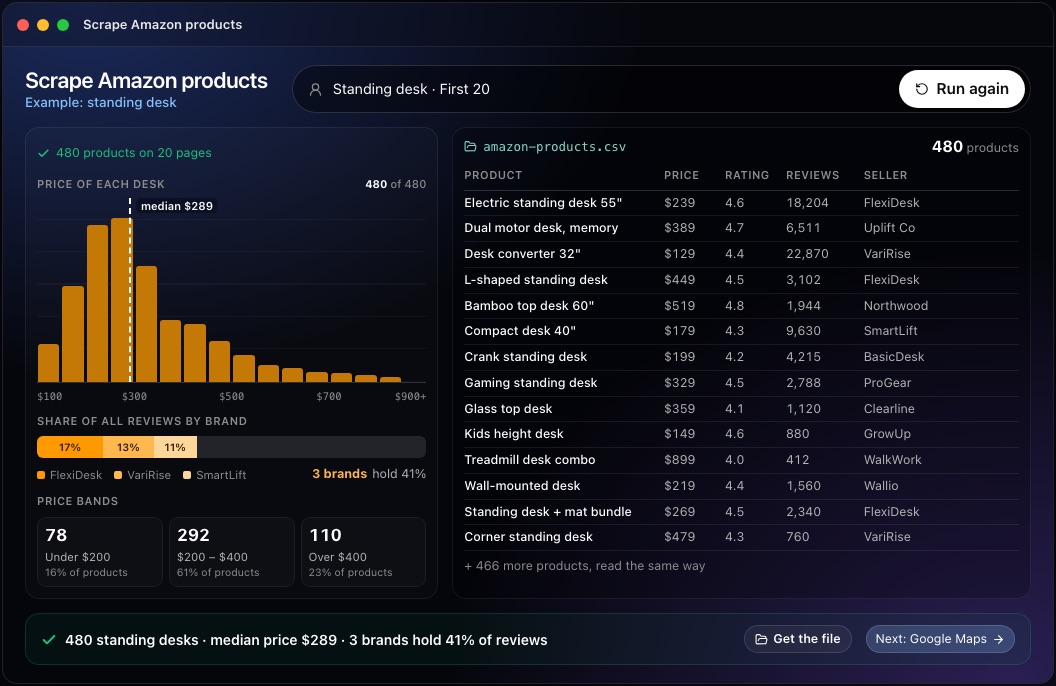
- Group products into price bands and note where the most reviewed ones sit.
- Use each brand's share of reviews as a rough sign of attention, and say it is a proxy.
- Treat sales estimates from third-party tools as estimates, and never as Amazon figures.
- Repeat the same searches on a schedule for price tracking, using the same ASINs.
- Hand over the table with its date and the next decision.
Why
Amazon does not publish sales figures, so every measure of market size is indirect. Review counts build up over years, which favors older products, and ranks move daily. Repeating the snapshot with the same searches and marketplace turns these noisy readings into trends you can act on. Brand concentration is worth stating plainly: if three brands hold most of the reviews, a newcomer needs a clear difference, while a long tail of small brands suggests buyers have not settled on a favorite. Keep the old snapshots, since the comparison is where most of the value lies.
This step in the 10folds window. Example data from the animation on the home page.
Common mistakes
- Counting variants as separate productsGroup sizes and colors before counting brands.
- Mixing sponsored and organic resultsAds show who pays, not who sells.
- Quoting a sales rank without its categoryA rank only means something within its category.
- Writing zero for missing pricesOut of stock is unknown, and zero distorts every average.
- Calling review counts salesThey are a rough proxy that favors older products.
What a good result looks like
- A one-line scope: searches, marketplace, pages read and date.
- One row per ASIN, with brand, price and currency, rating, reviews, seller and rank.
- Sponsored products marked and position recorded.
- Variants grouped and off-topic items removed.
- Price bands and brand concentration stated with their limits.
And then what? Using the result
- Compare your price with the band where the most reviewed products sit.
- Read the reviews of the top three competitors to learn what buyers praise and criticize.
- Look for an empty price band or a missing feature worth a product.
- Schedule the same snapshot weekly for price tracking.
When to run it
- Setting or reviewing a priceThe price bands and the position of leading products show where your price sits.
- Deciding whether to enter a categoryThe number of brands and how attention is spread between them show how open the category is.
- Watching competitors' pricesRegular snapshots of the same ASINs show price cuts and stock-outs as they happen.
- Planning a new productThe features and price bands of well-rated products show what buyers already accept, and where the range has a gap.
Questions people ask
Is it legal to scrape Amazon?
Amazon's terms of service restrict automated collection from its site, and rules on scraping public data differ by country. Product data contains little personal data, but the terms still apply. Amazon's official APIs are the allowed route for those who qualify; get advice before collecting at scale.
What data can you scrape from Amazon?
From search and product pages: ASIN, title, brand, price, list price, rating, review count, seller, Buy Box holder, Best Sellers Rank and whether a listing is sponsored. Sales figures and conversion rates are not published.
How do you track Amazon prices?
Fix a list of ASINs and a marketplace, record each price with its date, seller and currency on a schedule, and compare snapshots. Track the same products every time, so changes reflect prices and not a different sample.
How do you size a market from Amazon data?
Indirectly. Count products and brands, group them into price bands and use review counts and ranks as rough signs of demand. Amazon does not publish sales, so any revenue figure is an estimate and should be labeled as one.
What should you record with every Amazon price?
The ASIN, the marketplace and currency, the seller, the date and whether the listing was sponsored. Without them, two prices cannot be compared reliably, and a real price change cannot be told apart from a change in the products you sampled.
Does it buy products or change my listings?
No. It reads search results and saves a table of products. Buying, selling and editing listings stay with you.
More jobs in Scraping
Scrape Amazon products, on your own Mac.Free app. Runs on your Mac with the Claude or Codex plan you already have. Your files stay on your computer.
Download for Mac