
Product launch checklist: how to prepare a launch pack
A product launch checklist that works: confirm what is really shipping, write one core announcement, adapt it per channel and prepare support first.
Free app. Runs on your Mac with the Claude or Codex plan you already have.
What a product launch checklist is
A product launch checklist lists everything that must be true and ready before you announce something new: the facts about what ships, the messages for each channel, the answers for customers and the people who will handle questions. It sits inside a wider launch plan or go-to-market plan. The most common launch failures are small: a page that promises a feature still in beta, an email with a different price from the ad, a support team that heard about the launch from a customer.
A launch pack is the set of finished drafts behind a launch: the page copy, emails, posts, FAQ and the internal notes that prepare the team. It can be small; a single page, two emails and a few posts are enough for many launches. Building it from one set of facts is what keeps it consistent. The method below is how an experienced product marketer prepares a launch pack by hand. Each step says what to do and why, then how 10folds carries it out.
What it does for the business
- Launch in days with consistent copyWriting every piece from one approved set of facts means the page, emails and posts agree. Nobody has to reconcile three versions of the price the night before. Every channel points to the same next step.
- Avoid promises you cannot keepSeparating shipped, beta and planned features before writing keeps marketing from announcing what customers cannot yet use. Limits stated up front also cut the number of disappointed customers who contact support.
- A team ready for questionsAn FAQ and a support handoff mean the first customer questions get the same answer from everyone. Sales can answer the same questions with confidence.
- Never forget a stepA readiness checklist with owners turns a launch from a scramble into a sequence you can repeat for the next release. The next launch starts from a proven list instead of a blank page.
Product launch checklist, step by step
Confirm what is really launching
A launch message is only as true as the release behind it.
What to do
- Gather the approved facts: what it does, who can use it, price, availability and launch date.
- Sort each capability into shipped, beta or planned.
- List eligibility rules, dependencies and known limitations.
- Confirm the date from the people who control the release, not from an old plan.
- Choose the launch channels, and keep the number small enough to do well.
Why
Most launch embarrassments come from copy written against a plan that changed. Pinning facts and limits first gives every later piece one source of truth. Keeping the number of channels small also means each one gets finished copy instead of a rushed version.
Write the positioning and the core announcement
Say it once, clearly, before you say it six different ways.
What to do
- Write the positioning in two sentences: for whom, what problem, why it is different.
- Draft one core launch announcement with the main benefit, how it works, who it is for and the next step.
- Put the limits in plainly, such as who is eligible or what is not yet included.
- Offer two headline options if the angle is still open.
- Keep the core text short enough to read in a minute.
Why
Channel copy written from scratch drifts. A single core text, agreed first, keeps the message and the facts consistent everywhere it travels. It also gives reviewers one text to approve, which is faster than approving every channel separately.
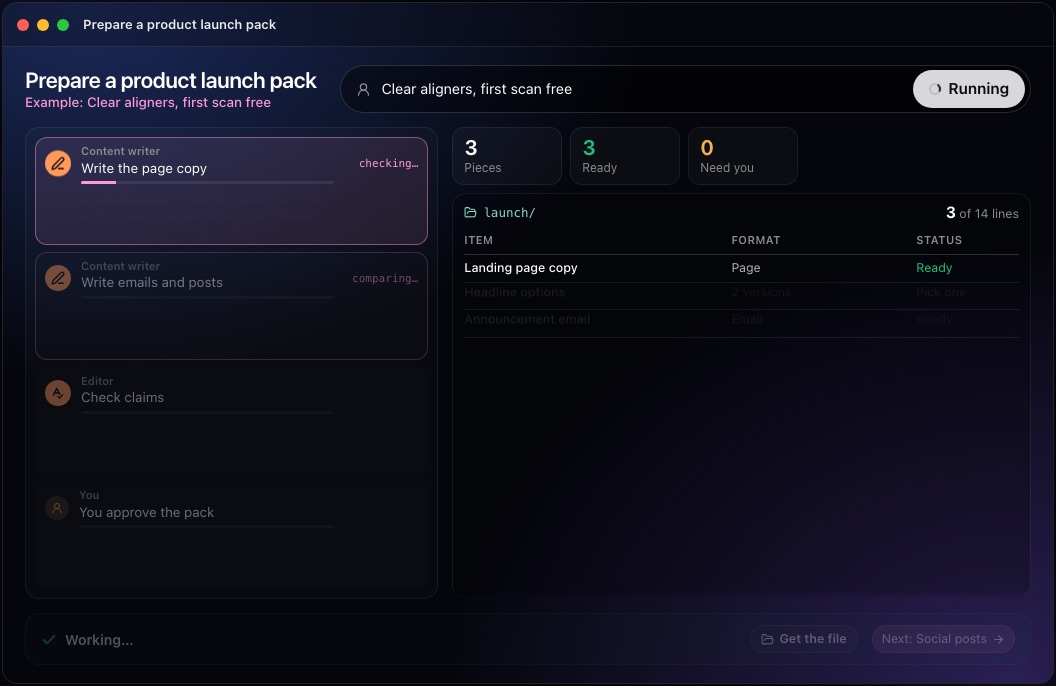
This step in the 10folds window. Example data from the animation on the home page. Adapt it for each channel
Change the length and the tone for each channel, never the facts.
What to do
- Write the launch page copy: headline, benefits, how it works, FAQ and one call to action.
- Write the emails, such as an announcement and a reminder, each with one clear action.
- Write the social posts, each with a different angle and the same facts.
- Give each piece a clear path to act: where to sign up, buy or ask.
- Use the same call to action wording across channels.
Why
Each channel has its own length and reader, so copy must change shape. Holding facts constant across channels is what stops a launch from contradicting itself. It also makes later changes cheap: when a fact changes, you know every place it appears.
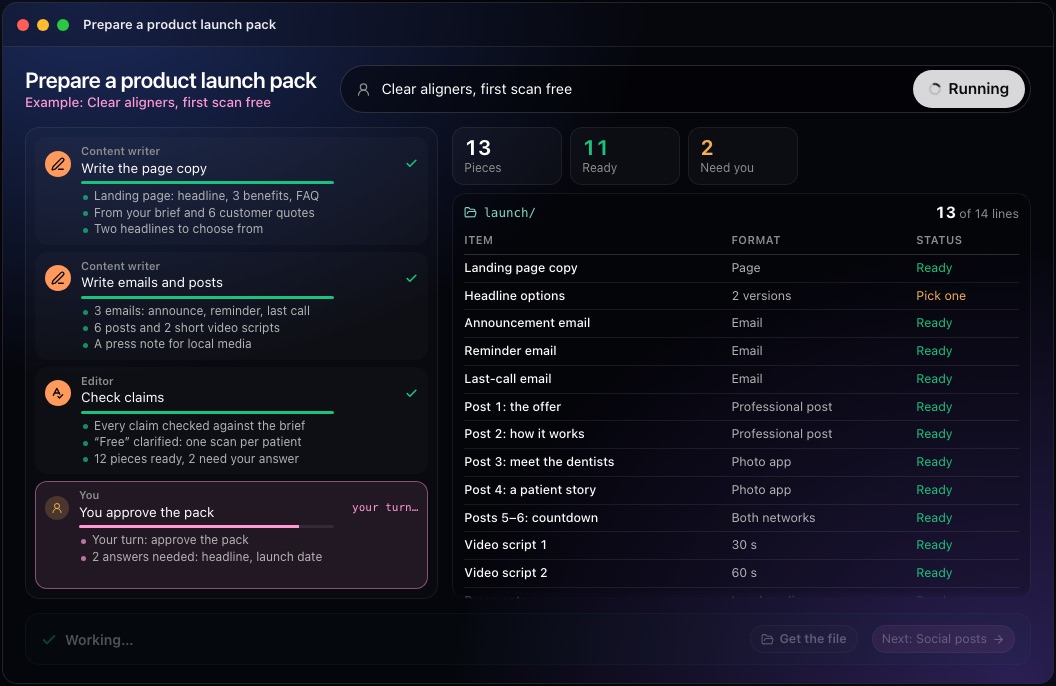
This step in the 10folds window. Example data from the animation on the home page. Prepare the team: FAQ, readiness and support
Support should never learn about a launch from a customer.
What to do
- Write an FAQ covering price, eligibility, limits and what happens next.
- Build an internal launch readiness checklist with owners and dates.
- Write a support handoff: what changed, known issues, where to escalate.
- Brief sales with the positioning and the FAQ as basic sales enablement.
- Set hold and rollback criteria: what would delay or pause the launch.
Why
Launch day questions arrive fast. Prepared answers and a named owner for each task prevent mixed messages and missed steps. Rollback criteria decided in advance also make a difficult call easier on the day, because the rule was agreed when nobody was under pressure.
Check every claim, then decide
Read the copy sentence by sentence against the facts before anyone presses send.
What to do
- Have someone other than the writer compare each claim with the release facts.
- Check that every channel uses the same price, date and limits.
- Make sure no promotional line hides a limitation.
- Leave the open decisions, such as the headline or date, clearly marked for the owner.
- Plan a post-launch review of what worked.
Why
One wrong claim in a launch spreads to every channel at once. A separate check catches what the writer no longer sees, and marking open decisions keeps them from being forgotten. The post-launch review closes the loop, so the next launch starts from what this one taught.
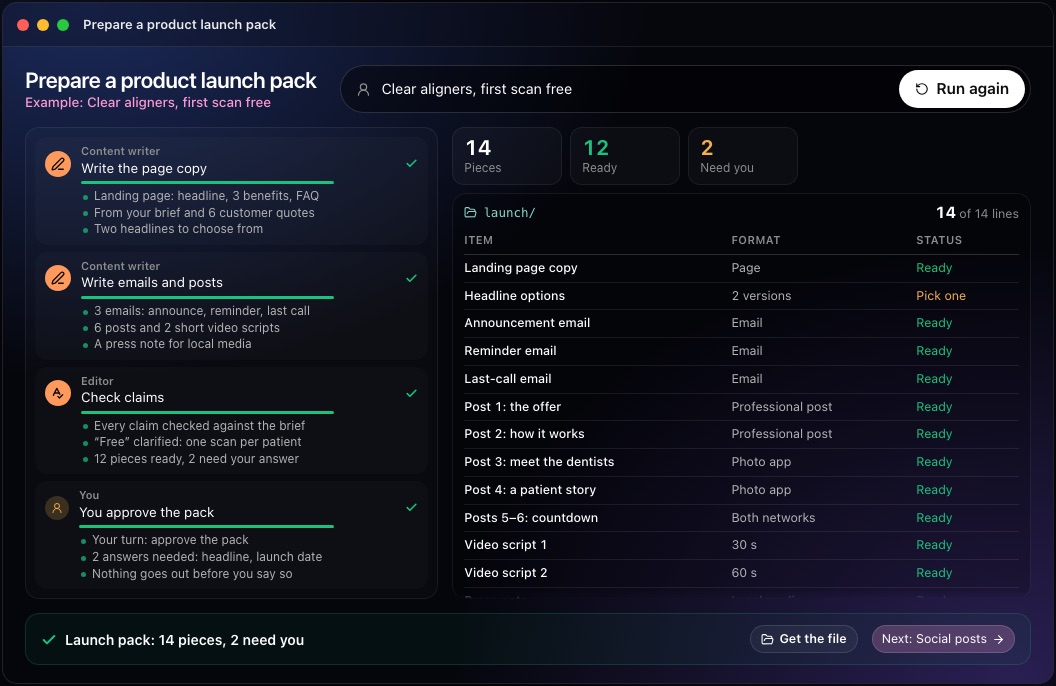
This step in the 10folds window. Example data from the animation on the home page.
Common mistakes
- Announcing beta features as finishedCustomers who cannot use what you promised remember it.
- Different facts in different channelsA price on the page that differs from the email costs trust and support time.
- Hiding limits in small printState eligibility and limits where the claim is made.
- Telling support lastThe first questions arrive on launch day, not a week later.
- Treating finished drafts as a ready launchReadiness depends on the release and the team, not the copy.
What a good result looks like
- A fact sheet separating shipped, beta and planned features.
- One core announcement and channel versions that match it.
- Limits and eligibility stated in every relevant piece.
- An FAQ, a readiness checklist with owners and a support handoff.
- Clear hold and rollback criteria.
And then what? Using the result
- Make the open decisions, such as the headline and the date.
- Share the FAQ and support handoff with the team before launch.
- Load the approved copy into your site, email and social tools.
- Hold a post-launch review after the first weeks and update the FAQ.
- Keep the pack as the template for your next launch.
When to run it
- Before any new product, service or offer goes publicEven a small launch benefits from one set of facts and a short checklist. Scale the checklist to the size of the launch.
- When a feature moves from beta to general releaseThe limits change, and every channel needs to say so at the same time. Update the page, emails and FAQ together.
- When several people write launch copyA single core announcement keeps everyone on the same facts. Review the core text together before anyone writes channel copy.
- When a price or plan changesA change to what customers pay deserves the same care as a new product, with the same facts in every channel. Tell existing customers before new ones see it.
Questions people ask
What should a product launch checklist include?
Confirmed release facts and limits, positioning, a core announcement, channel copy, an FAQ, an internal readiness checklist with owners, a support handoff and hold or rollback criteria. Each item should have an owner and a date.
How do you plan a product launch?
Confirm what ships and when, write the positioning and one core announcement, adapt it to each channel, prepare the team, check every claim and decide go or hold on evidence. The order matters: copy written before the facts are settled usually has to be rewritten.
How far in advance should you plan a launch?
Long enough to confirm the facts, write and check the copy and brief the team. Small launches can take days; larger ones need weeks so sales and support are ready. Start earlier when several teams are involved.
What are the stages of a product launch?
Preparation, where facts, messages and the team get ready; launch day, when the announcement goes out; and the post-launch review, where you learn and update. Skipping the review means repeating the same mistakes at the next launch.
Does 10folds send the emails or publish the posts?
No. It writes the launch pack as drafts. Nothing is sent, published or scheduled; you decide what goes out. You copy the approved pieces into your own tools when you are ready.
What if some facts are missing?
It asks one combined question for facts that block the work. If essential evidence is still missing, it returns a partial pack with the precise gaps instead of guessing. You see exactly what is missing and can supply it before running again.
More jobs in Marketing
Prepare a product launch pack, on your own Mac.Free app. Runs on your Mac with the Claude or Codex plan you already have. Your files stay on your computer.
Download for Mac